Hey!! My name is Sharif! I am a solo developer of Real Brain, building EasySwitch

Hey Hive! I’m Sharif, a senior full-stack developer and solopreneur.
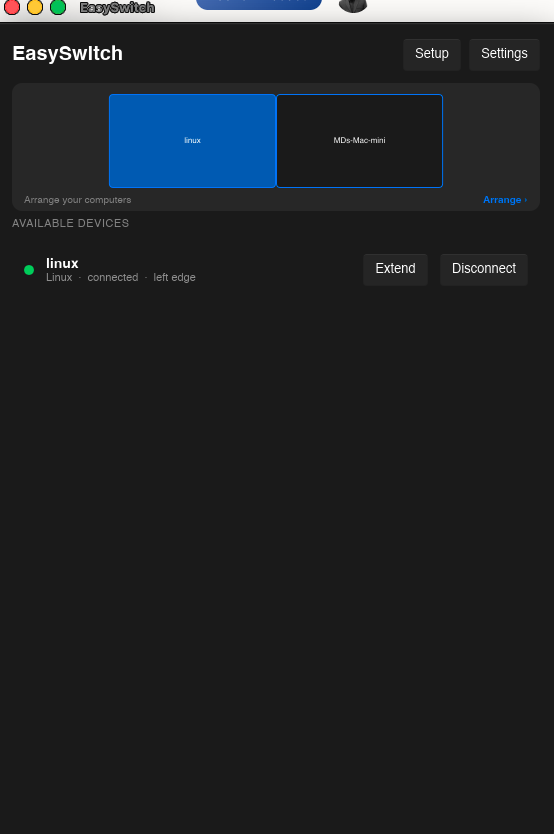
What I built: EasySwitch - a lightweight, cross-platform app that turns any spare Mac, Windows, or Linux computer into a wireless virtual second display, paired with complete KVM control, clipboard sync, and file transfer.
Who it's for: Software engineers, creators, and power users who work across multiple computers and want a clean multi-monitor workspace without buying extra hardware or dealing with physical display cables.
Why I built it: I had spare laptops sitting on my desk doing nothing, but I couldn't find a low-latency tool to use them as extended screens without lag or third-party cloud streaming. EasySwitch runs 100% locally over LAN to ensure high performance and privacy.
What's next: Fine-tuning the local streaming protocol for ultra-low frame latency and tighter OS-level display integrations.
Excited to join the community and launch here today!
Comments (7)

Welcome to the community, Sharif! 🙋🏻♂️
Thank you! Glad to be here!

Welcome Sharif! Love the idea of turning a laptop that's already sitting on the desk into a second screen. It should really be a standard. Congrats on the launch today!
Thank you Olga! 🙌 Exactly! There are so many unused laptops sitting around, so turning one into a second display just makes sense. 😄

Welcome, Sharif! EasySwitch caught my attention because it solves a very practical problem without asking users to buy more hardware.
The 100% local LAN approach is probably the part I find most compelling. For developers and power users, low latency is important, but keeping clipboard data, files, and screen activity off a third-party cloud also makes the product much easier to trust.
I also like that you’re combining virtual display, KVM, clipboard sync, and file transfer instead of treating each one as a separate utility. If the experience feels seamless across Mac, Windows, and Linux, that could be a strong differentiator.
One thing I’d be interested to see as you grow is how you communicate the “aha” moment visually — something as simple as showing an old laptop sitting unused, then becoming an extra display in a few seconds could make the value immediately understandable.
Congrats on launching, and I’m curious to see how far you can push the latency and OS integration.
Thanks Jimmy! Really appreciate you taking the time to write this.
That “old laptop becomes an extra display” idea is exactly the kind of simple visual we’ve been thinking about. The bigger idea behind EasySwitch is making all the computers already sitting on your desk feel like one workspace, instead of separate devices you constantly switch between.
And yeah, keeping everything local is a big part of the product. No cloud relay for your clipboard, files, or screen — it all stays on your LAN.
We’re still pushing hard on latency, reconnection, and making the Mac/Windows/Linux experience feel consistent. Really appreciate the feedback 🙌
It would be cool if I could connect those old computers and be able to use their shared compute resources to run something. Maybe my own local AI model 🙂.
Sign in to comment or upvote.