
Weesper Neon Flow
Offline voice dictation for Mac and Windows
()
0Launched Oct 2026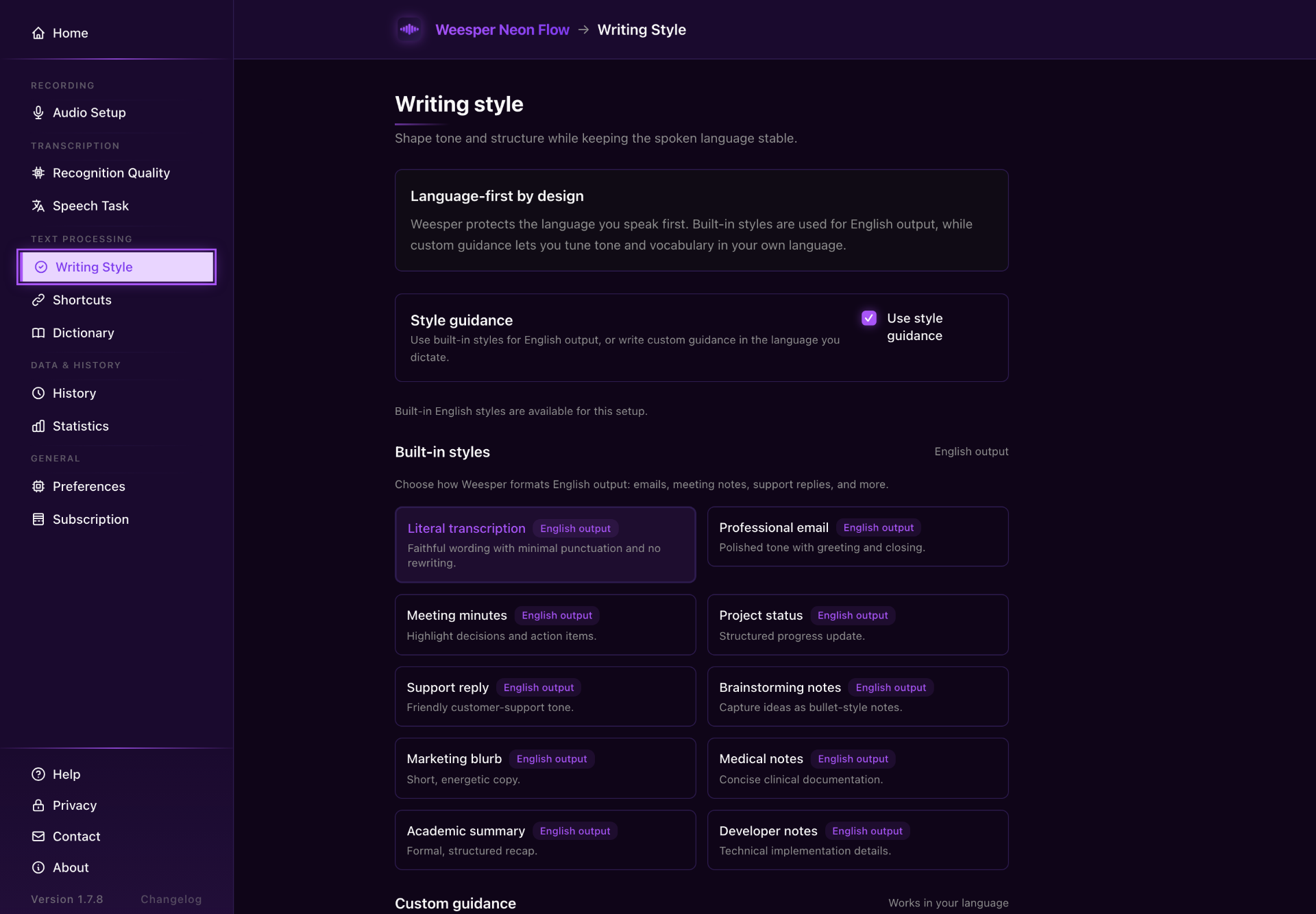
What is Weesper Neon Flow?
Weesper Neon Flow turns speech into text at your cursor in supported desktop apps on macOS and Windows. Hold a shortcut, speak and release. Speech recognition runs on your computer and works offline after the model is installed. It supports 50+ languages, personal dictionaries, text shortcuts and custom or contextual prompts. Try it for 15 days without a card, then keep a free plan with 1,500 words per week.
What it solves
- Typing long emails and notes takes time.
- Specialist vocabulary needs consistent spelling.
- Cloud dictation depends on sending speech to a remote service.
- Copying transcripts between apps interrupts writing.
How it works
- Hold a keyboard shortcut, speak, then release to insert text at your cursor.
- Whisper runs locally on your Mac or Windows PC.
- Add specialist terms to your personal dictionary.
- Choose among 50+ languages and save prompts for different writing styles.
Key Features
Offline dictation
Text insertion at cursor
50+ languages
Personal dictionaries
Custom prompts
Text shortcuts

Questions & Answers
Have a question?
No questions yet. Be the first to ask!
Meet the Team
CG