SECURE VAULT .exe
File encryption secured by a USB key, not a password
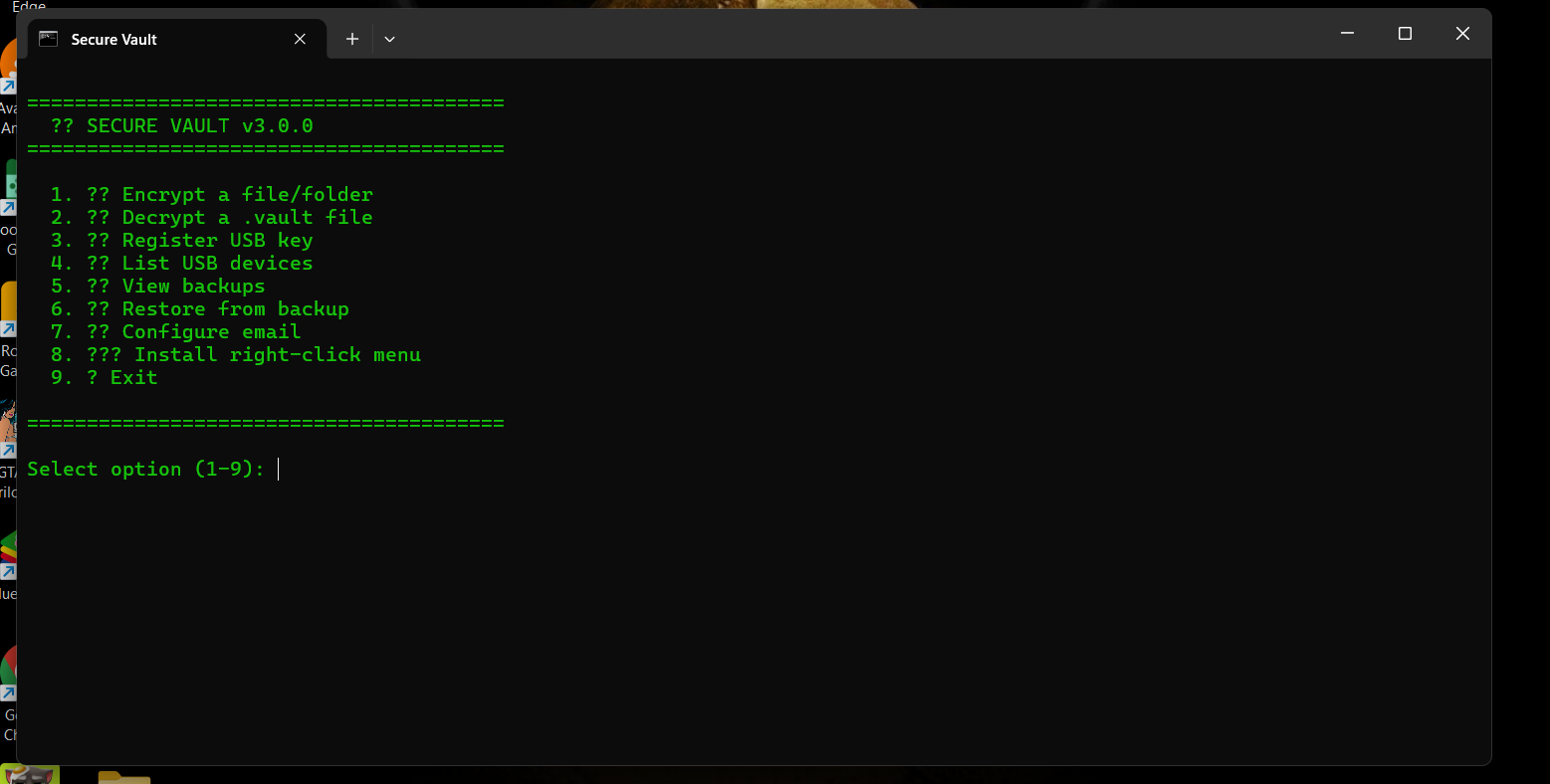
What is SECURE VAULT .exe?
Secure Vault encrypts individual files and folders using AES-256-GCM, but instead of relying on a password alone, it requires a registered USB drive as a physical second factor. The USB key itself is password-wrapped (not stored in plaintext), so losing the drive alone doesn't expose anything. Fully open-source, built for Windows, with encrypted local backups and optional email alerts on vault activity included. No independent audit yet — built on standard, well-reviewed cryptographic primitives
- 1. Passwords protecting sensitive files can be phished, guessed, or leaked
- 2. A leaked password alone is often enough to decrypt files from anywhere
- 3. Forgotten master passwords usually mean permanent, unrecoverable data loss
- 4. Closed-source encryption tools require blind trust in an unverified vendor
- 1. Register any USB drive as your physical master key during one-time setup
- 2. AES-256-GCM encrypts each file; the key is password-wrapped, never in plaintext
- 3. Decryption requires both the correct password AND the exact registered USB drive
- 4. 100% open-source - every line of the encryption logic is verifiable on GitHub
Key Features
AES-256-GCM encryption
USB physical key authentication
password-wrapped key storage
encrypted local backups
file integrity HMAC
secure delete
open-source
email alerts
one-click Windows installer
Integrations
Questions & Answers
Have a question?
This is actually a pretty interesting approach to file security. Curious - how are you thinking about getting this in front of people who are already looking for something like this? There are so many conversations around file security, encryption and protecting sensitive data on Reddit, X and LinkedIn. That’s actually what we’re building with EarlyCustomers.com - finding those conversations and showing you the people already talking about the problem. Could be a pretty interesting growth channel for Secure Vault.
yes could you explain the features about the EarlyCustomers.com if it suits to me am sure to be with you