
Learning & Education● Live
Pronunciation Coach
Free English pronunciation practice for Windows
()
0Launched Sep 2026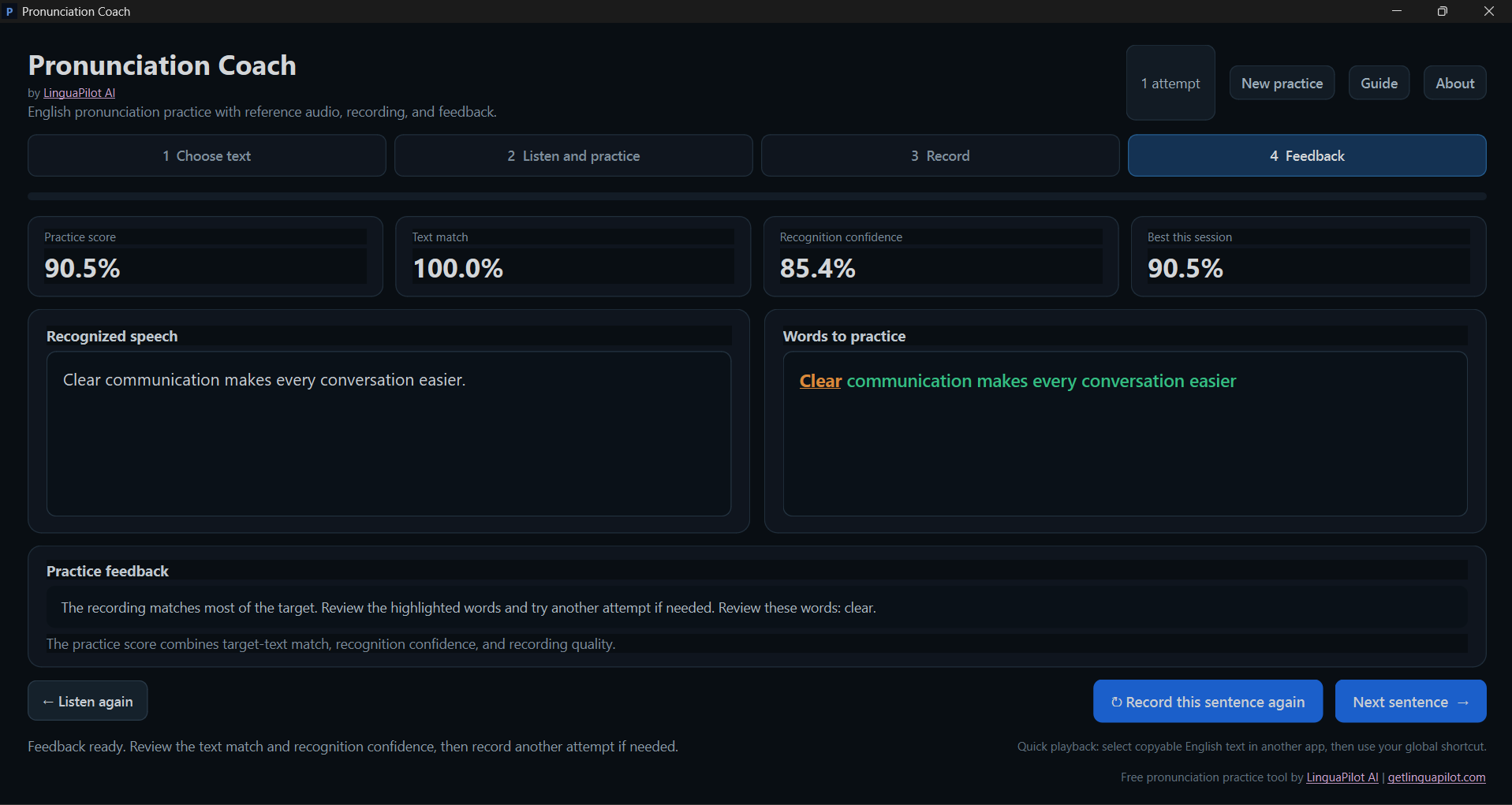
What is Pronunciation Coach?
Pronunciation Coach is a free Windows app for practising English with your own text. Select text in most Windows apps and press Ctrl+Alt+P to hear it instantly, then record yourself to get a practice score, recognition confidence and words to review. Local-first, no subscription and no app account required.
What it solves
- Practising real work English often means switching between several apps.
- Most tools do not let you instantly hear selected text anywhere in Windows.
- Generic exercises do not match the sentences users actually need to say.
- Online pronunciation tools may require accounts, subscriptions or cloud processing.
How it works
- Select English text in most Windows apps and press Ctrl+Alt+P to hear it.
- Paste or type your own text and listen to a reference pronunciation.
- Record yourself, replay it, then analyse the sentence.
- Review practice score, text match, confidence and words to improve.
Key Features
English pronunciation practice
Ctrl+Alt+P quick playback
Text-to-speech
Voice recording
Practice score
Recognition confidence
Words to review
Local-first
No account required
Windows desktop app
Questions & Answers
Have a question?
No questions yet. Be the first to ask!
Meet the Team
SS