
NotchDodo
Turn your MacBook’s notch into a full-blown dashboard.
()
0Launched Sep 2026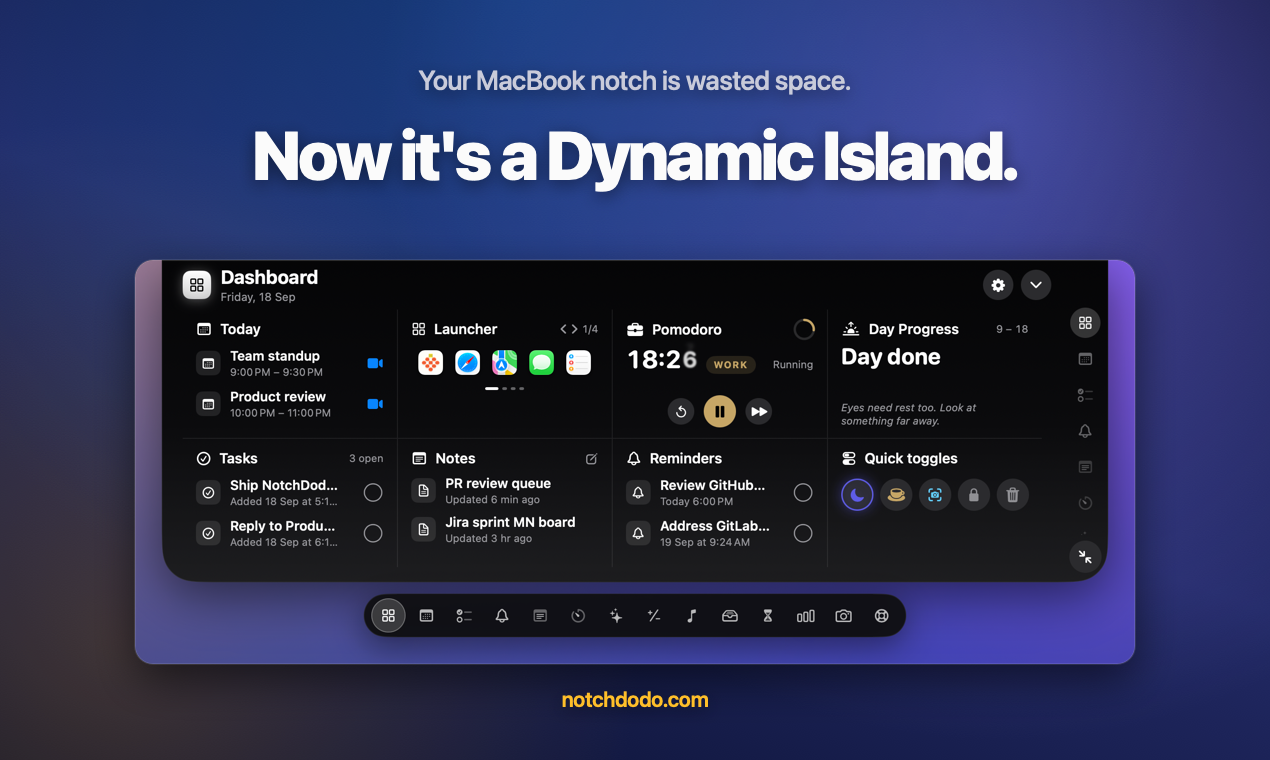
What is NotchDodo?
NotchDodo turns the notch on your MacBook into a dashboard. Hover it and 14 tools open: your calendar with one-click Zoom, Meet and Teams join, tasks, notes, reminders, a Pomodoro timer, music controls, a file shelf, quick toggles, system stats, screen time and a Claude Code usage meter. It stays out of the way during video calls, needs no account and keeps your data on your Mac. Macs without a notch get a simulated one. One-time $4.99 for 2 Macs, macOS 14+ on Apple silicon.
What it solves
- The MacBook notch is dead space you stare at all day.
- Checking your calendar, a timer or your music means switching apps and losing focus.
- Joining a call means digging for the meeting link in your calendar or inbox.
- Claude Code users hit the 5-hour usage limit with no warning.
How it works
- Hover the notch and it opens into a dashboard of 14 tools. Move away and it tucks back.
- Live activities show timers, music and downloads right beside the notch.
- Tracks Claude Code sessions, tokens and your 5-hour window. No other notch app does.
- No account, one-time price, and it won't pop open over your video calls.
Key Features
Notch dashboard
One-click meeting join
Pomodoro timer
Music controls
File shelf with AirDrop
Quick toggles
Claude Code usage meter
Screen time
System stats
Notes and tasks
Live activities
Stays hidden during video calls
Integrations
Apple CalendarApple RemindersApple MusicZoomGoogle MeetMicrosoft TeamsClaude CodeAirDrop
Questions & Answers
Have a question?
No questions yet. Be the first to ask!
Meet the Team
AM