EasySwitch
Turn all your computers into one seamless workspace
What is EasySwitch?
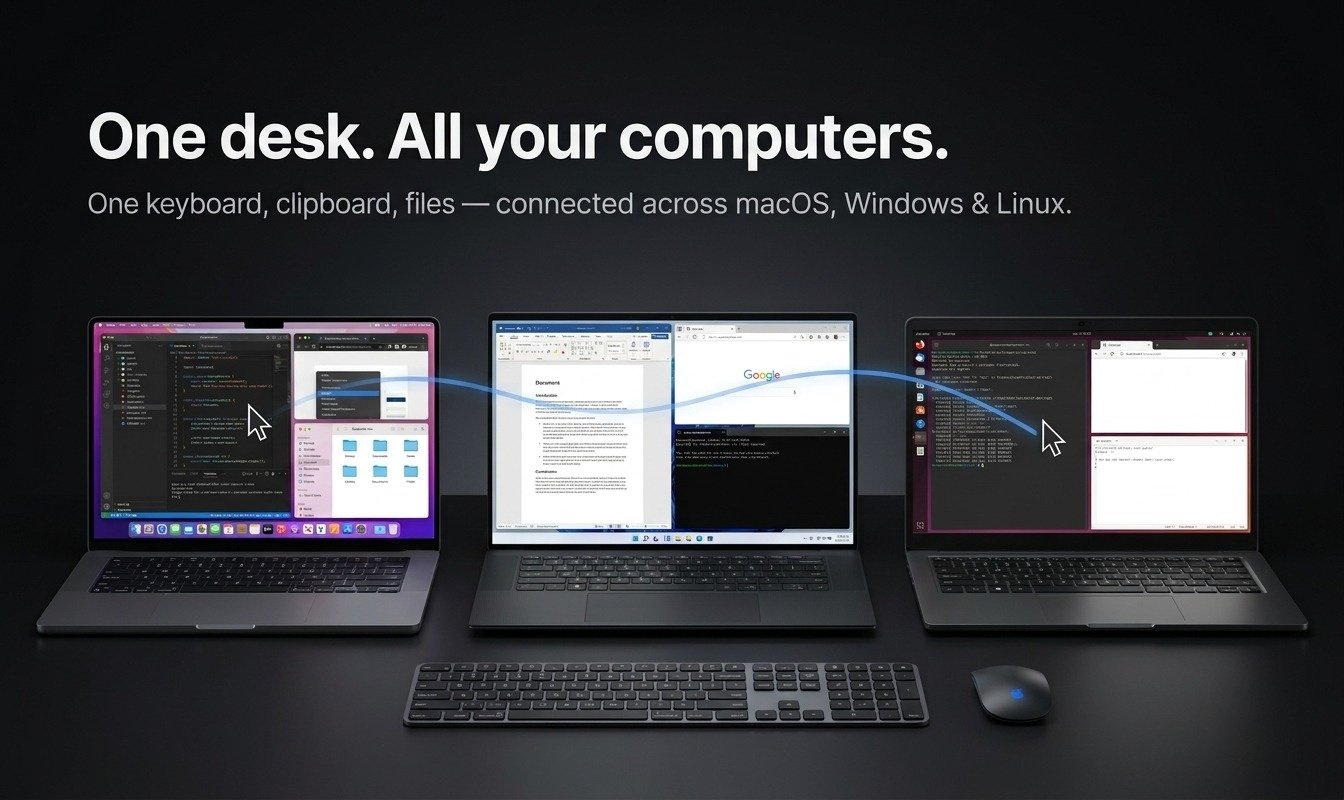
EasySwitch brings KVM control, virtual displays, clipboard sharing, and file transfer into one seamless workspace. Use one keyboard and mouse across your Mac, Windows, and Linux computers, turn another computer into an extended display, and move files between devices without cables or extra hardware.
- Managing multiple computers means switching between keyboards, mice, and screens.
- Adding extra displays often requires new monitors, cables, docks, or adapters.
- Moving files and copied content between computers is slow and fragmented.
- KVM, remote display, and file-transfer tools are usually separate apps.
- Install EasySwitch on your computers and connect them securely over your local network.
- Arrange your computers on one virtual desk and move your cursor seamlessly between them.
- Turn another computer into an extended virtual display without extra monitors or cables.
- Share your keyboard, mouse, clipboard, and files across Mac, Windows, and Linux in one app
Key Features
KVM Control
Virtual Extended Display
Cross-Platform File Transfer
Clipboard Sync
LAN Connectivity
Multi-Monitor Desk Layout
Zero-Hardware Display
Integrations
Questions & Answers
Have a question?
This is actually a really useful idea for anyone working with multiple computers. Curious - what’s been the best way for you to reach people who have this problem? I feel like there are already tons of developers, creators and power users talking about switching between machines, sharing files or needing an extra screen. That’s actually what we’re building with EarlyCustomers.com - finding people who are already having these conversations across Reddit, X and LinkedIn. Feels like EasySwitch could find some really good early users there.