DisplaySwitcher
Switch monitor inputs and transfer text and files between computers
()
0Launched Oct 2026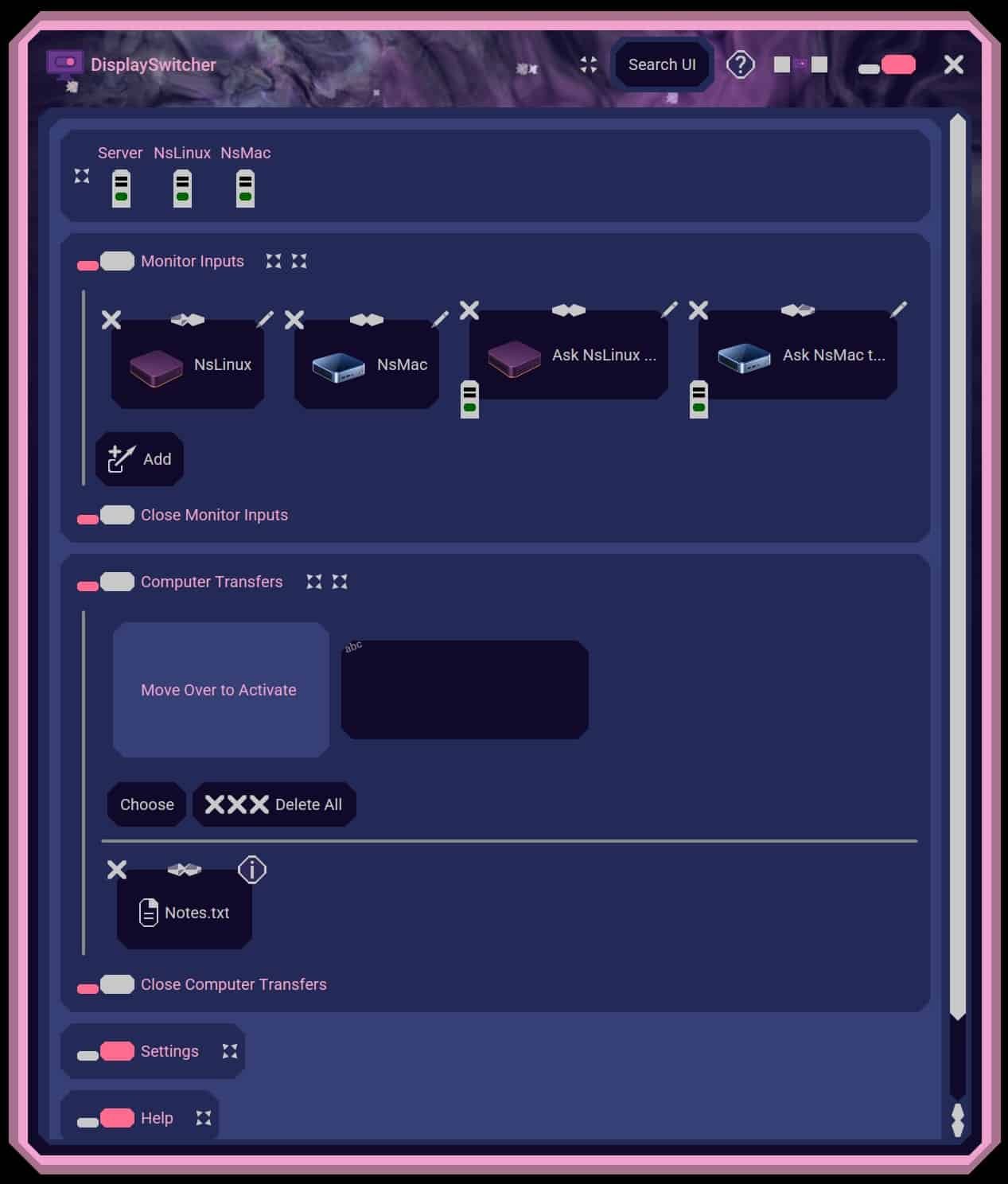
What is DisplaySwitcher?
DisplaySwitcher is a desktop application for Linux, macOS, and Windows that combines monitor input switching with text and file transfers between computers. Switch video inputs with a software button and move text and files using cut-and-paste, drag-and-drop, or file browsing. If one computer cannot switch a monitor directly, another connected computer can perform the action. No network or firewall configuration necessary. $5.95/month with a one-month free trial.
What it solves
- Reaching for physical monitor buttons interrupts work when switching computers.
- Monitor vendors may not provide switching software for every operating system.
- Moving text and files between different operating systems takes extra effort.
- Multi-computer workflows require frequent switching and sharing of development files.
How it works
- Install DisplaySwitcher on computers running Linux, macOS, or Windows.
- Click a software button to switch a monitor’s video input using DDC/CI.
- Ask another connected computer to switch the monitor if direct switching is unavailable.
- Transfer text and files with cut-and-paste, drag-and-drop, or file browsing.
Key Features
Monitor input switching
Cross-platform text and file transfers
Cut-and-paste transfers
Drag-and-drop transfers
File browsing
Switch through another connected computer
No network or firewall configuration necessary

Email@YourDomain
Business email address for $1
Paid
★★★★★0.00.0 (0)
Questions & Answers
Have a question?
No questions yet. Be the first to ask!
Meet the Team
BE